ONE PERSON. PLENTY OF CHARACTER.
Funny selfie ideas,
just for you.
Start with one small change: tilt your head, try a sleepy expression or take a very serious face a little too seriously. A playful selfie can be a good moment all on its own.
ONE SELFIE, ANOTHER SIDE
Give an everyday photo a playful twist.
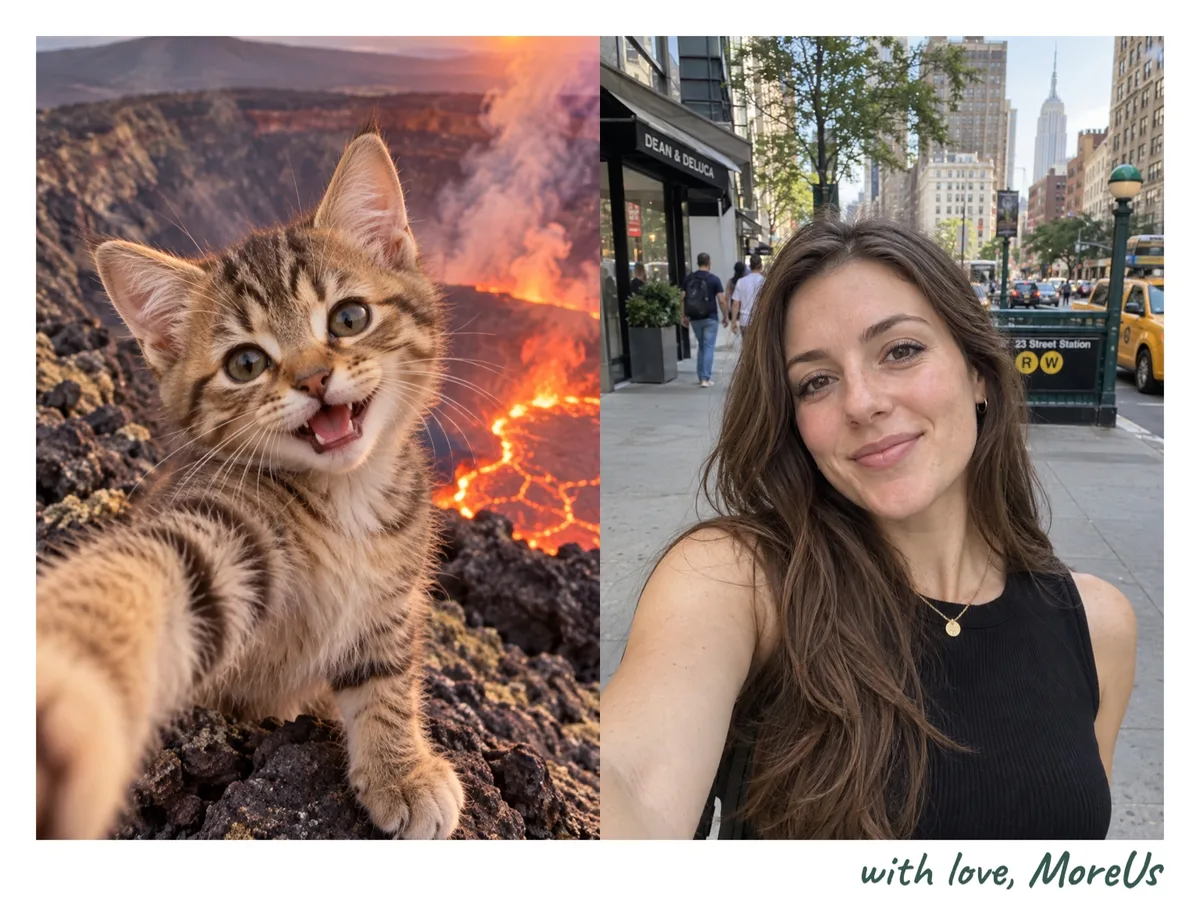
This complete MoreUs card pairs a city selfie with an AI kitten in an imagined volcanic scene. The original and the new result stay together, so you can enjoy both versions of the moment.
You can start with a photo you already like. Or take a new one using an expression below, then choose a pet and a scene in MoreUs. The scene and animal are an imaginative reinterpretation; each result can be different.
Save the finished card for yourself. Sharing is up to you.
TRY THESE WITH ANY CAMERA
Three small ideas for a funny selfie.
Use a plain background and soft light so the expression gets the attention. Take a neutral photo first, then change one thing at a time.
A little head tilt.
Look at the lens, relax your shoulders and tip your head slightly to one side. Try one shot with a closed-mouth smile and another with a raised eyebrow.
Keep: the version that looks like you have just heard something surprising.
Almost ready for a nap.
Stay comfortably seated, soften your eyes and let your cheeks relax. Then take a second photo looking suddenly wide awake.
Keep: the contrast between the two expressions, or whichever makes you smile.
A straight face, held just long enough.
Keep your chin level and look directly at the lens. Try to hold a solemn expression for a moment, then take another photo when it turns into a grin.
Keep: the serious frame, the smile, or the unexpectedly awkward one in between.
IN MOREUS / FOLLOW
Let a pet photo give you the idea.
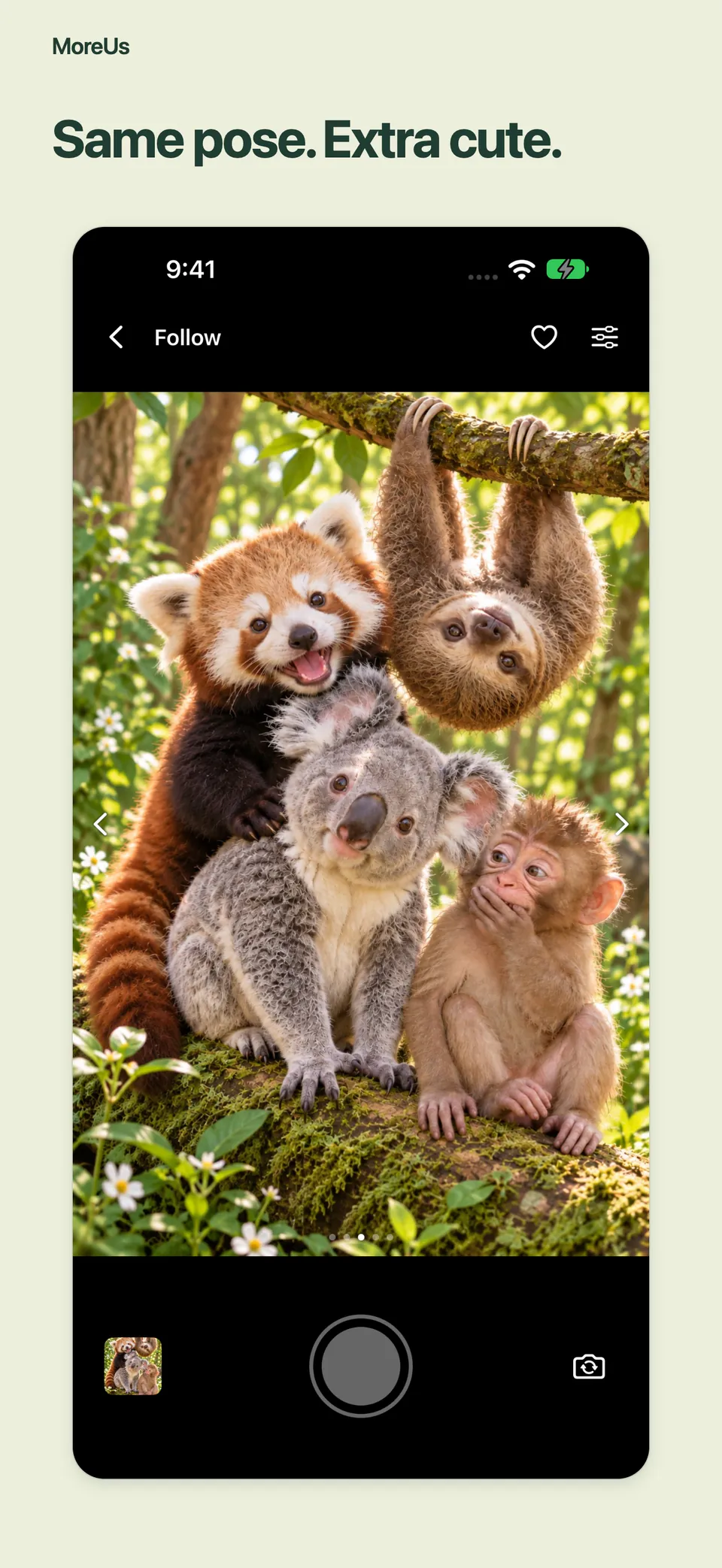
- Choose a reference in Follow. Find an animal expression or head angle you want to try. Pick one clear detail to copy.
- Make your own version. Frame your face, borrow that expression and take the photo. A small head tilt is enough; choose a comfortable pose.
- Put the photos together. Compare your version with the reference. You might like the resemblance, or the way yours went somewhere else.
- Keep your favorite. Save a photo or card. You can come back to the idea without sending it anywhere.
Some Follow templates require an in-app purchase. The reference shown here illustrates the app’s template flow; it is not a demonstration of a person completing the pose.
IN MOREUS / AI CREATIONS
Meet a fluffy version of your selfie.
- Choose a clear solo photo. Keep your face visible, with even light and enough space around your head. Avoid a hand or a large object covering your face.
- Choose your pet and scene. This is a different route from Follow: AI reimagines your existing photo, rather than helping you take a new reference pose.
- Review the result. Check the expression and the overall picture. AI can change details, so keep the version you enjoy rather than expecting an exact likeness.
- Choose a layout and save. Pair the original with the pet version, as in the complete card above. Photos, GIFs and short reveal videos give you different ways to keep the result.
AI creations use cloud processing with your permission. Some AI creation or export options require in-app purchases; the app explains available previews and purchase details before you continue. See support and product questions for help.